Real-time Communication Redefined
Experience the future of instant messaging with our advanced real-time chat application. Connect with instant messaging, video calling, file sharing, voice messages, and enterprise-grade security features.
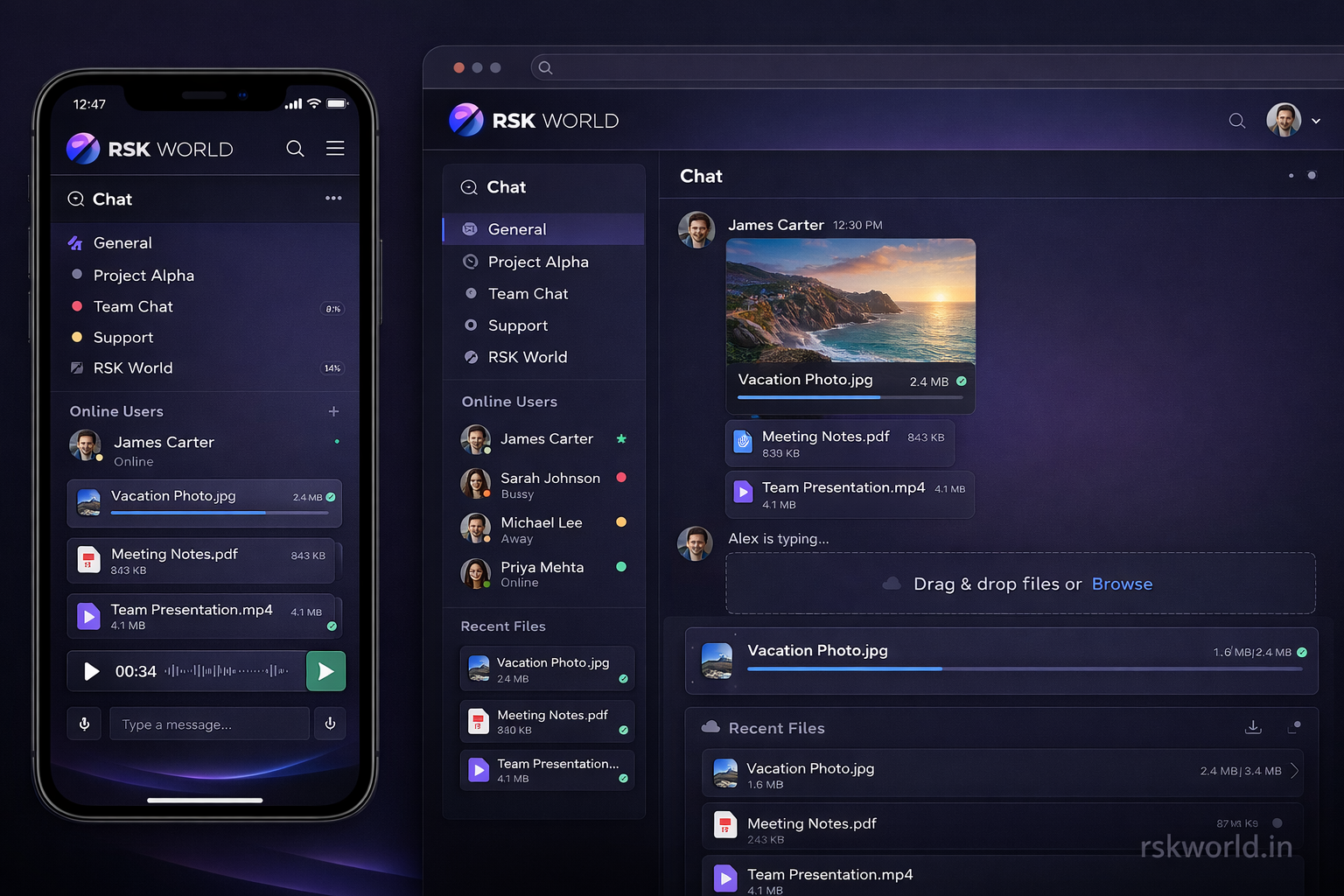
Experience the future of instant messaging with our advanced real-time chat application. Connect with instant messaging, video calling, file sharing, voice messages, and enterprise-grade security features.
Instant messaging with SignalR technology for seamless real-time communication across all devices.
End-to-end encrypted chat system with real-time video calling capabilities for secure connections.
WebRTC-powered video calling with high-quality audio and video for face-to-face conversations.
Secure file sharing with support for documents, images, videos, and audio files with cloud storage.
High-quality voice messaging with audio recording, playback, and transcription capabilities.
Create and manage group chats with member roles, permissions, and advanced moderation tools.
Experience our real-time messaging system with instant delivery and typing indicators.
WebRTC-powered video calling with HD quality and screen sharing capabilities.
Secure file sharing with drag-and-drop support and real-time transfer progress.
Create and manage group chats with member roles and moderation tools.
# Clone the repository
git clone https://github.com/rskworld/realtime-chat.git
cd realtime-chat

# Check .NET installation
dotnet --version

# Restore NuGet packages
dotnet restore

# Run database migrations
dotnet ef database update

# Run the application
dotnet run

# Build for production
dotnet build --configuration Release

# Publish application
dotnet publish --configuration Release
// Update appsettings.json for database configuration
{
  "ConnectionStrings": {
    "SqliteConnection": "Data Source=RealtimeChat.db",
    "DefaultConnection": "Server=(localdb)\\mssqllocaldb;Database=RealtimeChatDB;Trusted_Connection=true"
  },
  "Jwt": {
    "Key": "YourSecretKeyHere12345678901234567890",
    "Issuer": "RSKWorld",
    "Audience": "RealtimeChatUsers",
    "ExpireDays": 7
  }
}
Modern web framework for high-performance real-time applications and APIs.
Real-time WebSocket communication for instant messaging and live updates.
ORM for database operations with SQLite and SQL Server support.
Peer-to-peer video calling technology for HD quality conversations.
Secure token-based authentication for user access and API security.
Server-side web framework for interactive UI components and real-time updates.
Cloud services for SignalR scaling and file storage integration.
User management and authentication system with role-based access.
Perfect for small projects and personal use
Best for growing businesses and teams
For large organizations and custom needs